I wrote my last article with AI
Though not in the traditional sense. Here's what I made and how I'm trying to stop AI from killing my critical thinking.

In my last article, I talked about protecting my thinking and what I think that means, specifically preserving the meaning making loops that make us who we are and form our understanding of the world. If you haven’t read it, give it a read.
In the article, I mentioned Advait Sarkar’s talk, “How to Stop AI from Killing Your Critical Thinking”. I can’t recommend this video enough.
Sarkar mentioned in the video that we are becoming “middle managers for our thoughts”. What he and the entire Tools for Thought community talk about resonated with me a lot. What he showed off, described as “not a product, but a prototype”, was very much aligned with how I feel I’m using AI, and gives a great demonstration of how we can build better tools to maintain our agency and change our relationship with the tools. Synthesis, summarization, structure, comparison, pattern matching. I believe these are the areas we should focus on using an LLM for, where its true power lies. I’m going to share how I tried to protect (and also extend, as I discuss previously) my thinking while trying to harness the power.
I started with using Claude chat, and moved into building a custom tool to support my work. The exploration of these topics did not start with wanting to write an article, but with exploring the space and my own curiosity. I later developed the want to write about what I was thinking about. Not once however did I use anything claude.ai produced in my writing. Instead, I tried to use the chat as a thinking partner. I used long conversations and context building (I can’t recommend the “Research” function enough) to synthesize lists of research papers, articles, books, and people to learn from. Claude helped me partly understand links between threads through summarization and synthesis. One of the first documents I had Claude produce was a “Research Map”.
This is not a report. It is a map of the intellectual terrain explored through conversation, organized to support offline reading and continued investigation. Sources are annotated with why they matter, not just what they say. Open questions are flagged where they emerged. The goal is to support the construction of your mental model, not to substitute for it.
There are sections like “Source Map”, “Active Research Community”, “Open Questions”. Once I had this map, I was able to continue my offline reading, and form my own understanding. The LLM is great for the synthesis, but to form deeper understanding I need to build it through deeper, longer reading (from the author’s voice, not Claude’s) and developing of my own questions and testing of my own mental models. This kind of document can help summarize important ideas, form links across disciplines and ideas, and point you in the right direction. But the thinking and the work, the application of these ideas is in your hands.
When I started to learn, I wanted to write. I wanted Claude to help me in the way I described it can, and I didn’t want it to write for me. So I tried to continue to use the chat as a thinking partner, and write my document separately. In this approach, I found myself context switching a lot. I found myself jumping between writing the document, reading, & referencing my notes. One great thing about coding agents is the ability to spin up and iterate on my own custom tools very quickly. So I did so, and built something to support my own workflow. Here are some features I built, and how I used them
Note Taking
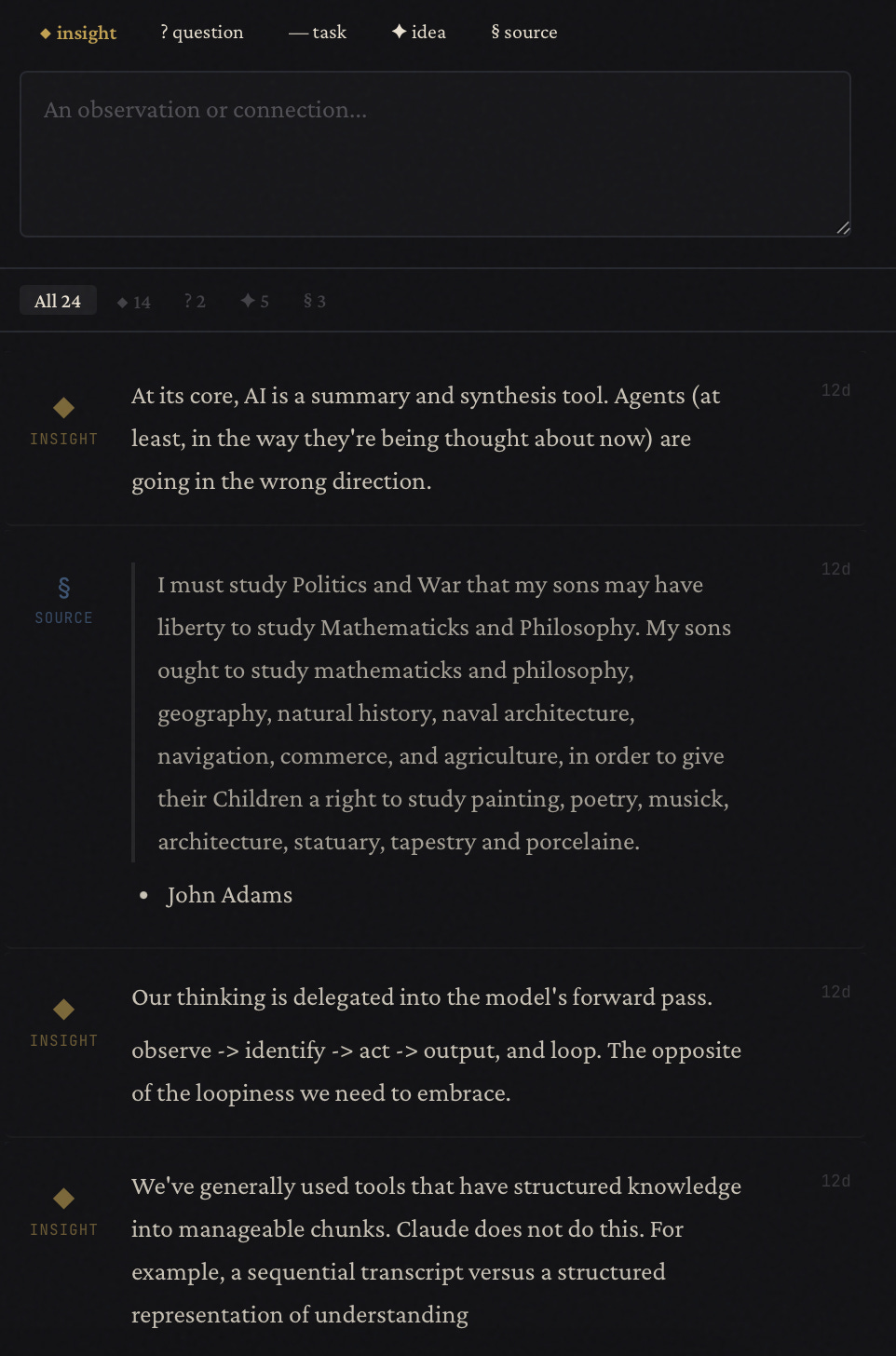
This doesn’t need much explanation, I hope. A spot to take notes.
Article Space
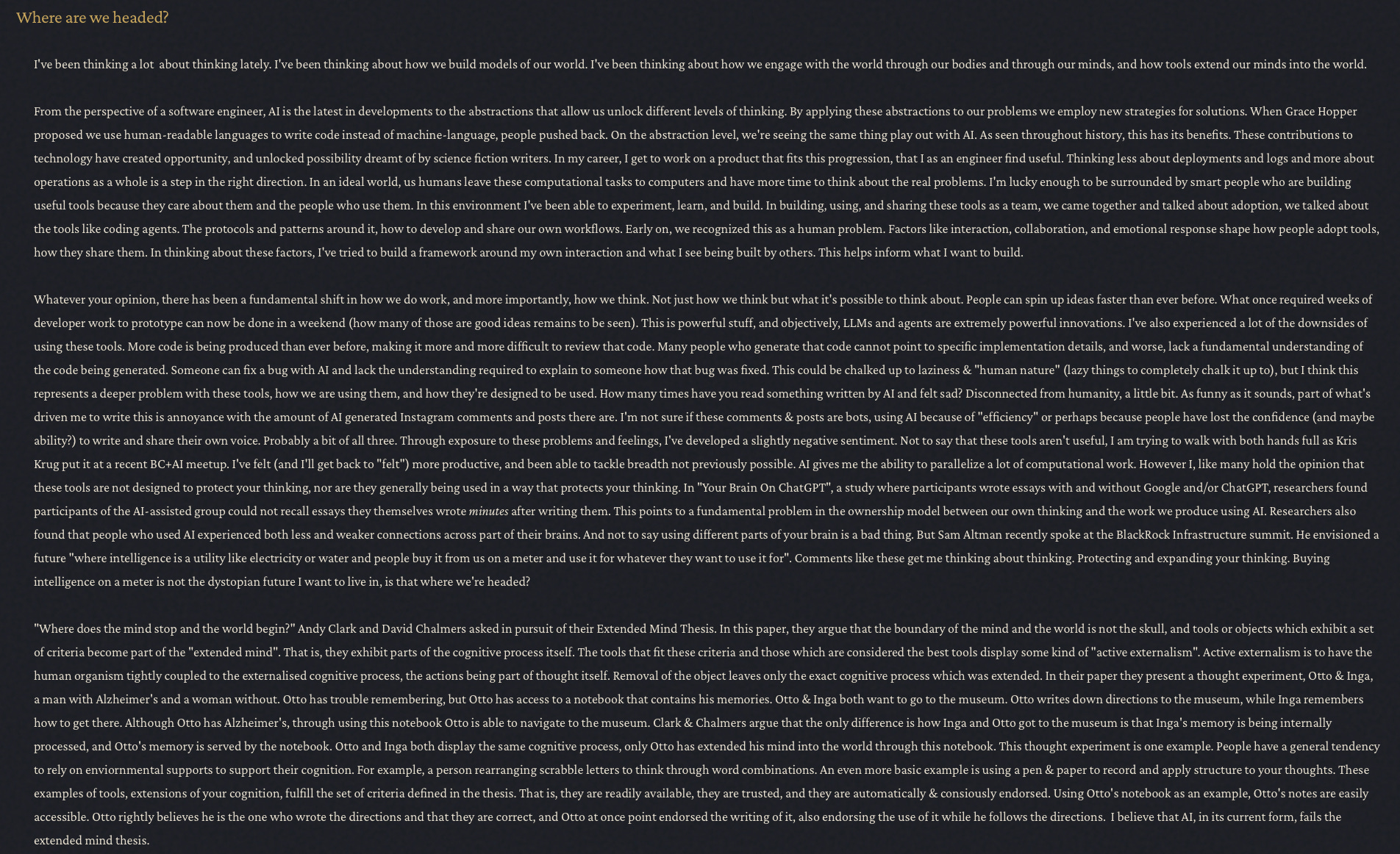
Again, not much explanation required. A word processing space to write.
Research Panel
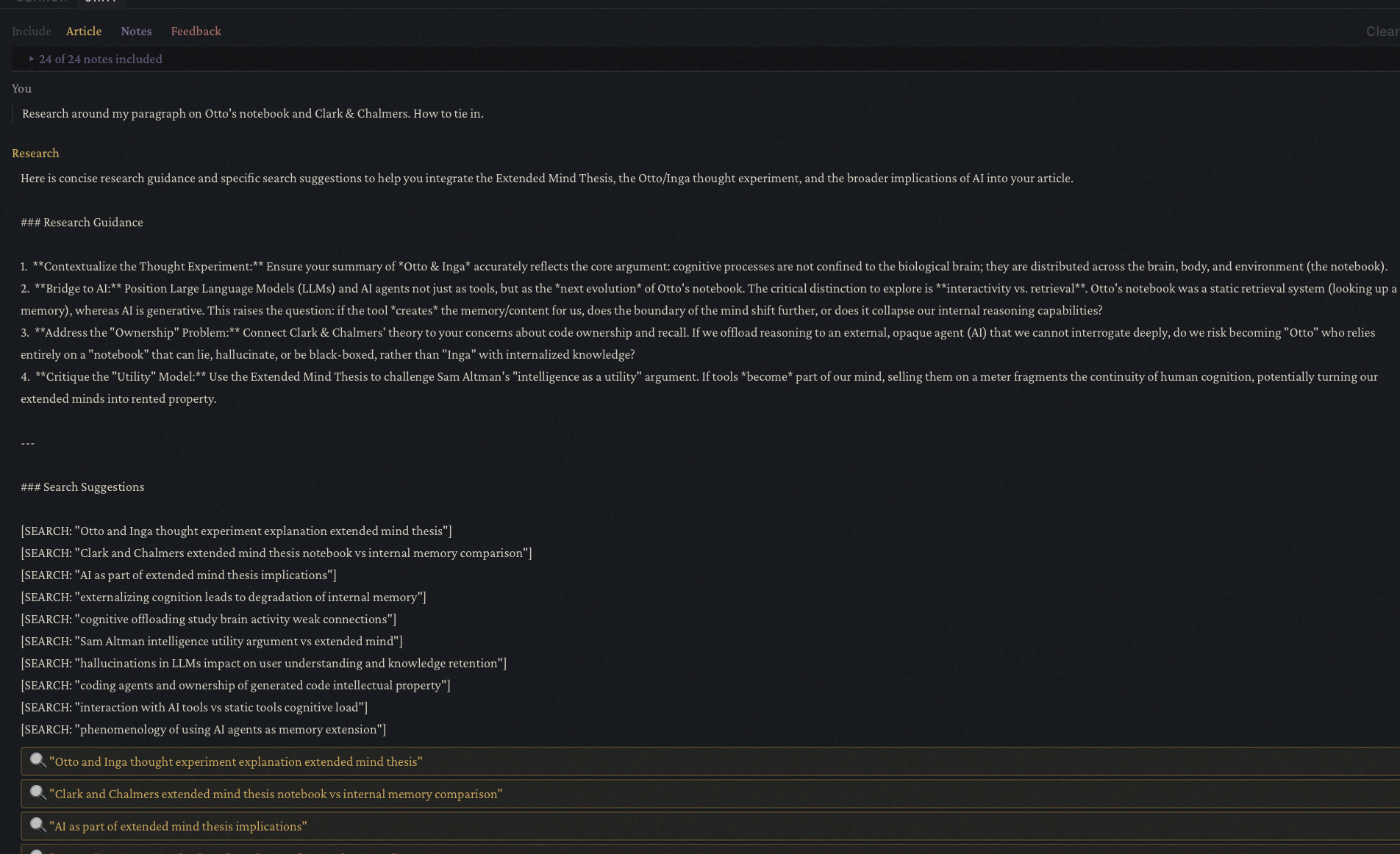
One place I found the power of an LLM great (synthesis, summarization). A research focused chat. The tabs at the top beside “Include” allows me to include different pieces of context from the rest of my tool. The article, the notes, and the feedback (which I’ll get to). Sending a message in this chat sends the context to the LLM with a prompt that gives me research guidance in the context of my article as well as a set of search suggestions with links to Google searches.
Feedback
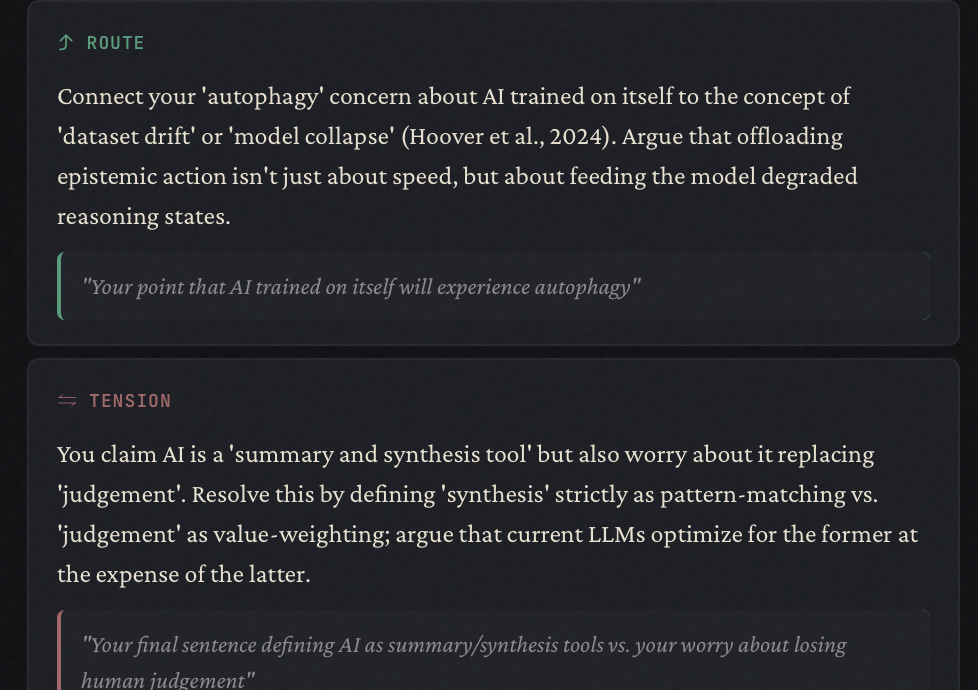
I’ve included a button in my writing space that will “Map” all of my writing (and any additional context like Notes, Research chat). It provides me feedback like places I can route my argument, tensions in my argument, gaps, strengths, things to look for / go find.
Chat
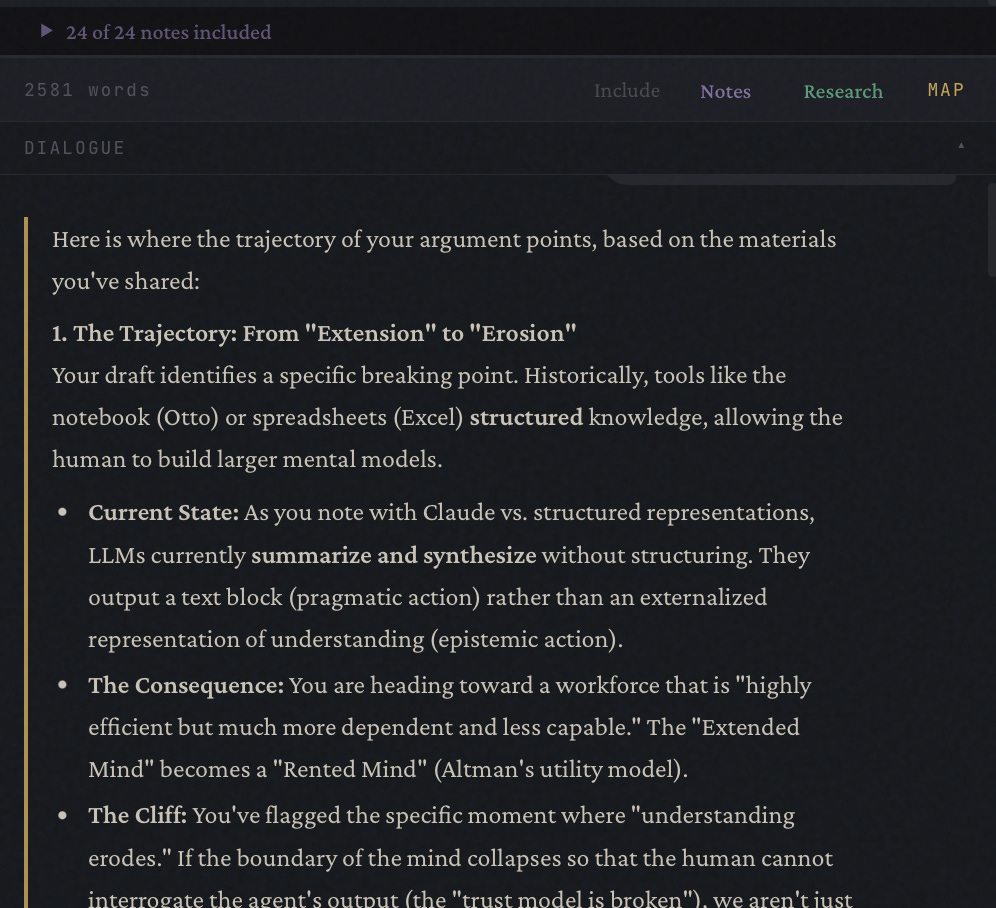
The prompt & functionality of this one is probably most similar to how someone would usually use a chat bot. Same feature here where I can choose which context to include, down to which notes. This lets me “chat” with my work.
I think one of the coolest things about all of this is my app is completely local, including the LLM calls. I’m using the Ollama SDK and Qwen 3.5, running on a 16 GB M4 Pro. No cloud required. This gets me excited about what we can built without reliance on the empires of AI.
None of this is polished. I put this together in a weekend, and I’m iterating on it quickly with Claude Code. This tool has greatly increased my ability to hold multiple lines of thinking, extend my thinking, synthesize my thoughts. The writing is all mine, and the LLM helps me with the places the LLM really is powerful. Computers computing, humans acting, thinking. This is where I think we should head.
I’ll update this article when I publish this on GitHub.
Check it out : https://github.com/gabrielgranata/cognitive-cartographer